Built for the Gulf

Your money, on your phone.
And nowhere else.

Maal is built for the way people across the Gulf manage money. Track accounts, cards, budgets, debts, and savings goals in dirhams, riyals, dinars, and other currencies.

International cards and custom accounts are supported too, so you can manage your finances wherever you are.

And because Maal works completely offline, your money is always within reach—no internet required.

iOS — coming soon Android — coming soon
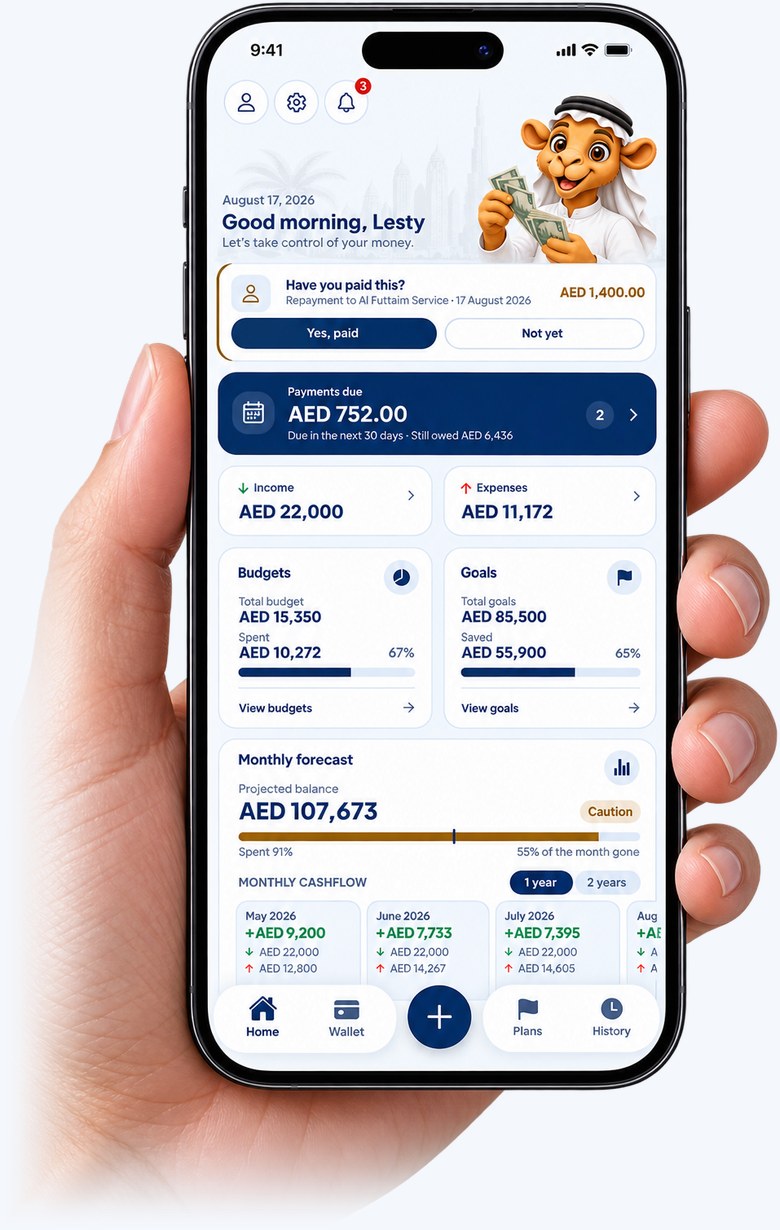
A hand holding a phone showing the Maal home screen: the month's income and expenses, budgets, goals and what is due next.

Take a look around

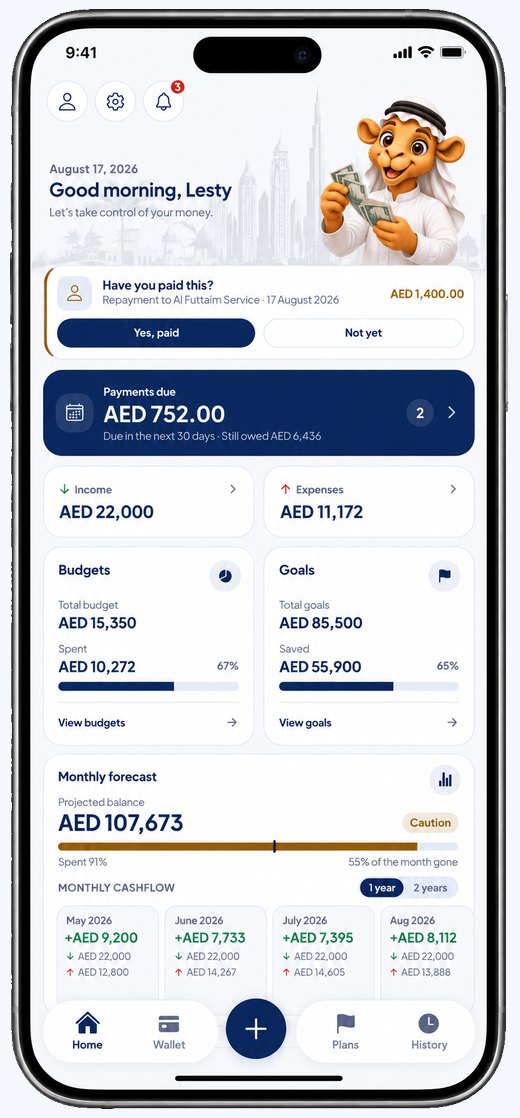
  • The Maal home screen: the month’s income and expenses, budgets, goals and what is due next. Dashboard
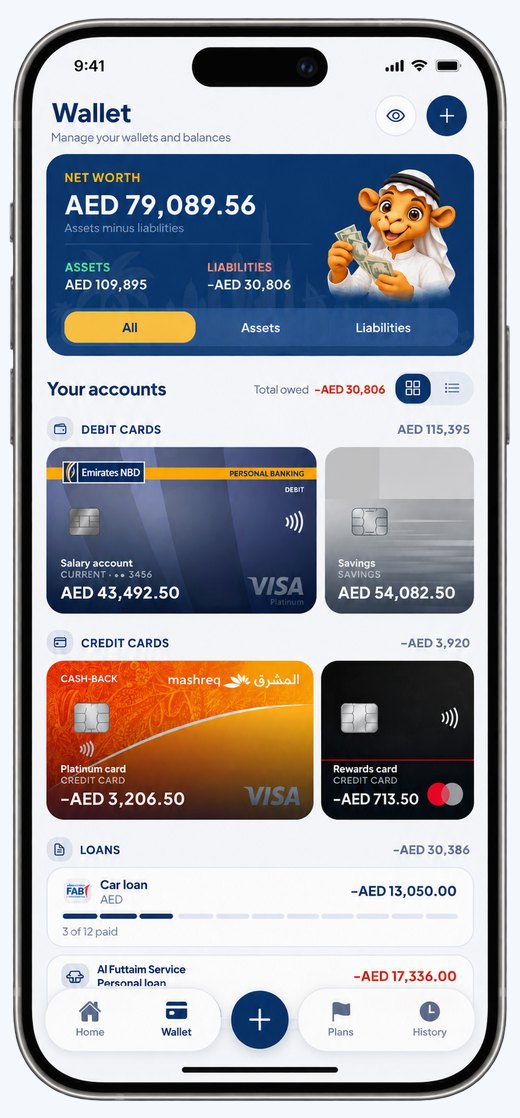
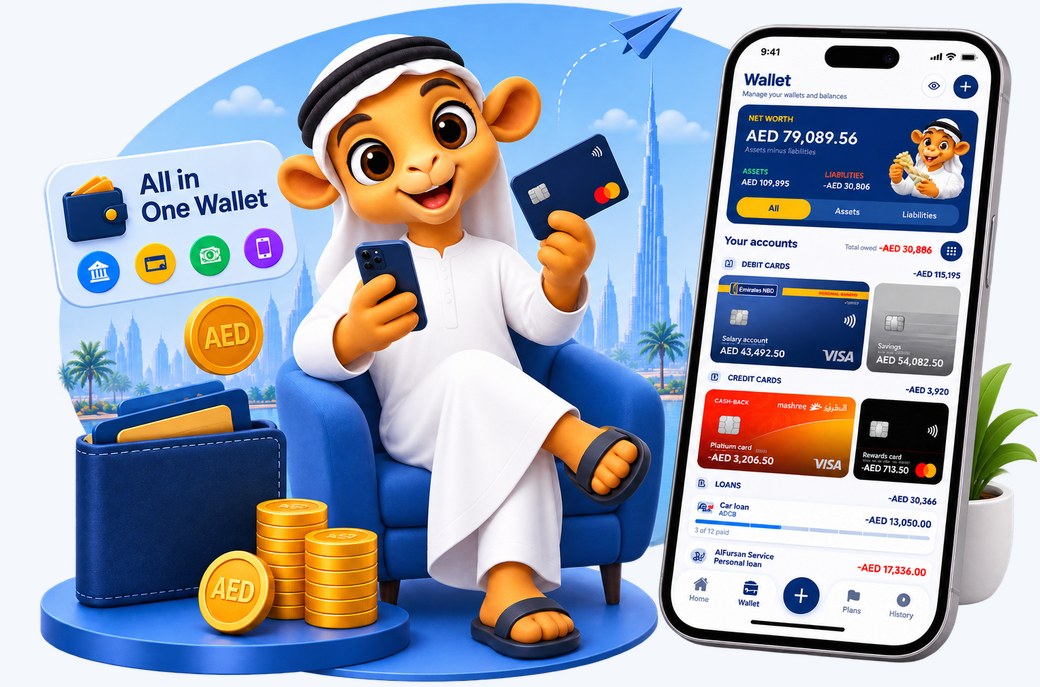
  • The wallet screen, with accounts grouped into debit cards, credit cards and loans. Wallet
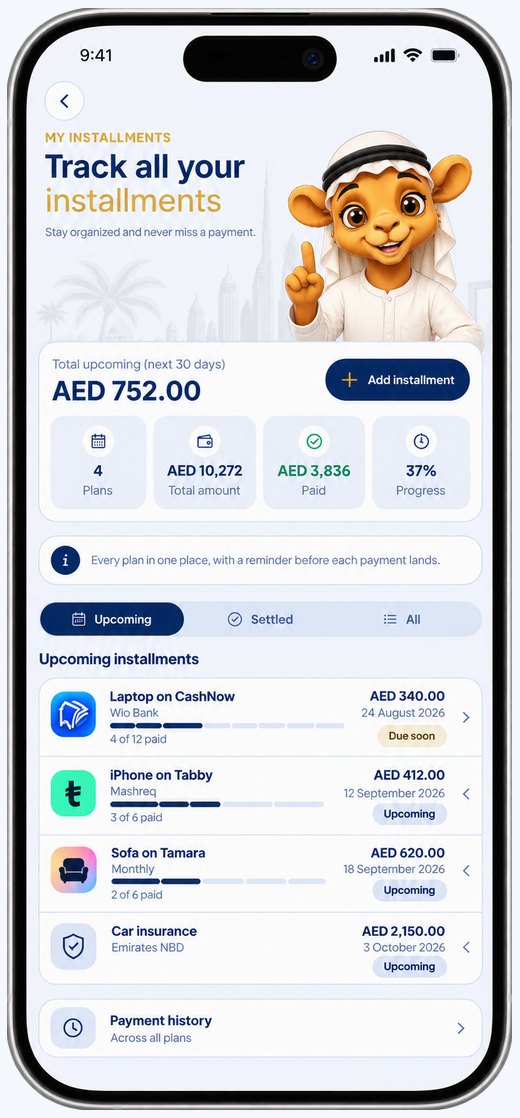
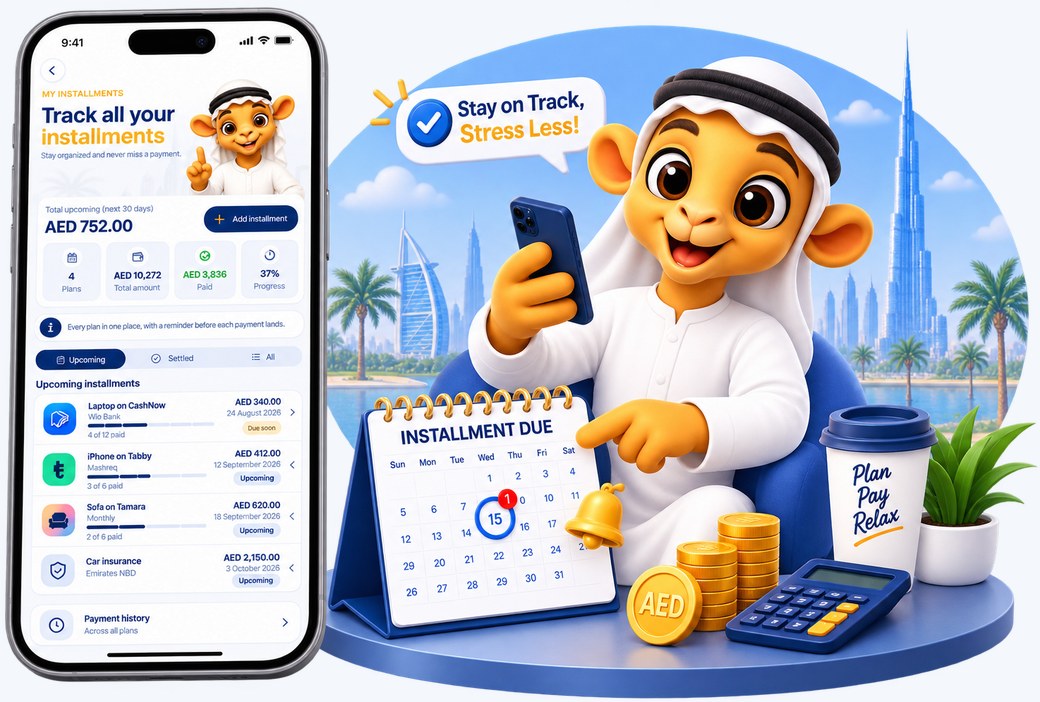
  • The installments screen, with every pay-later plan and what falls due next. Plans
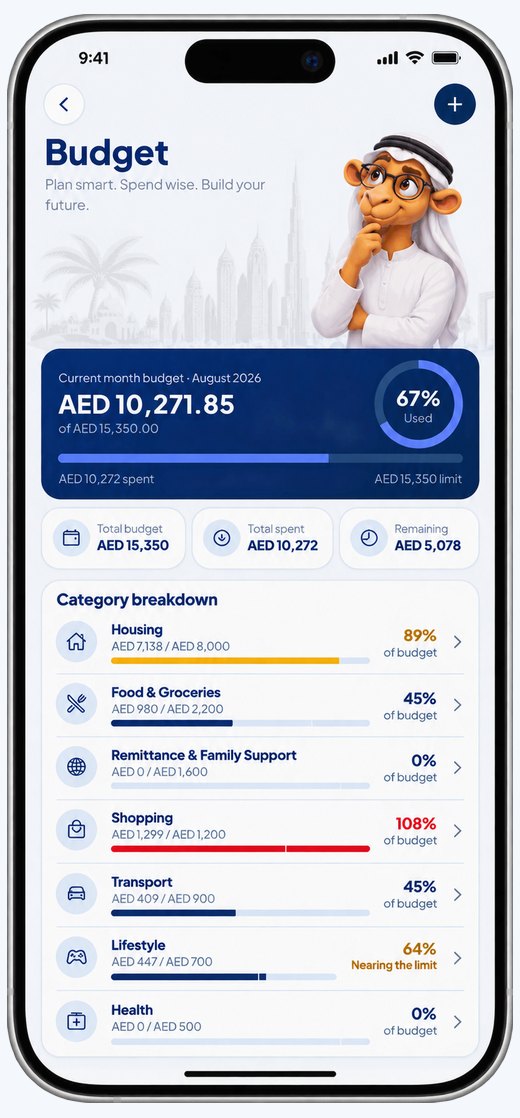
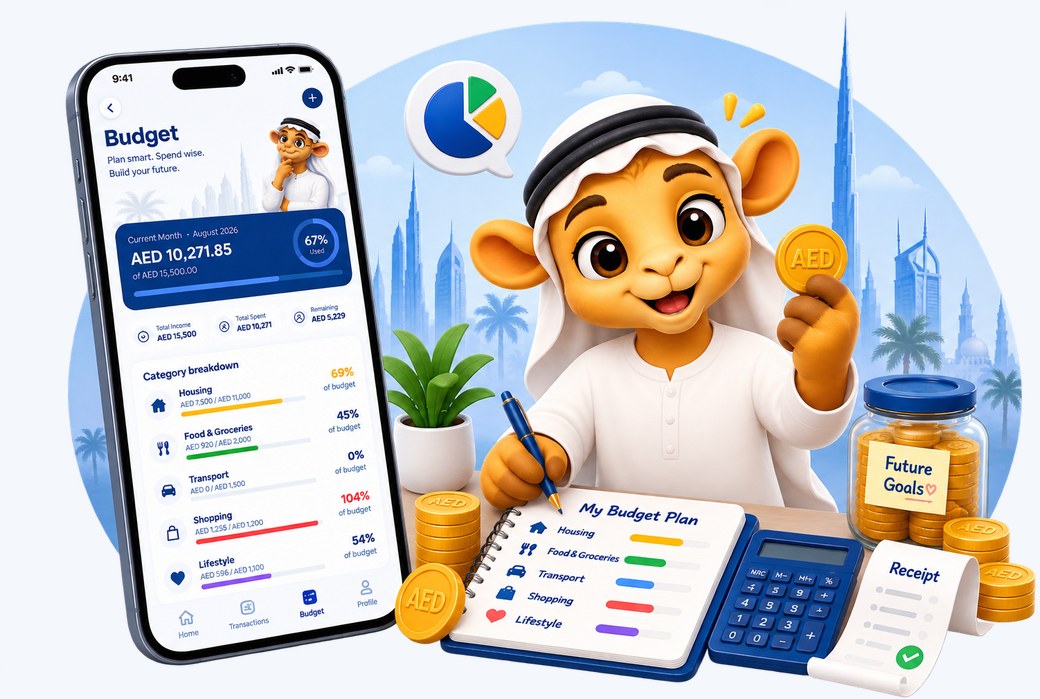
  • The budget screen, with the month spent so far and a breakdown by category. Budgets
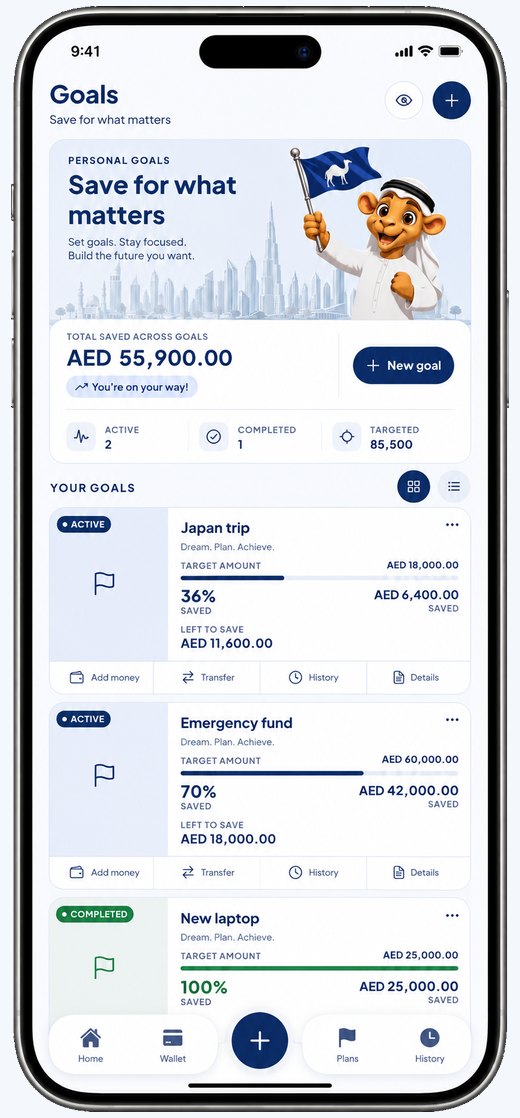
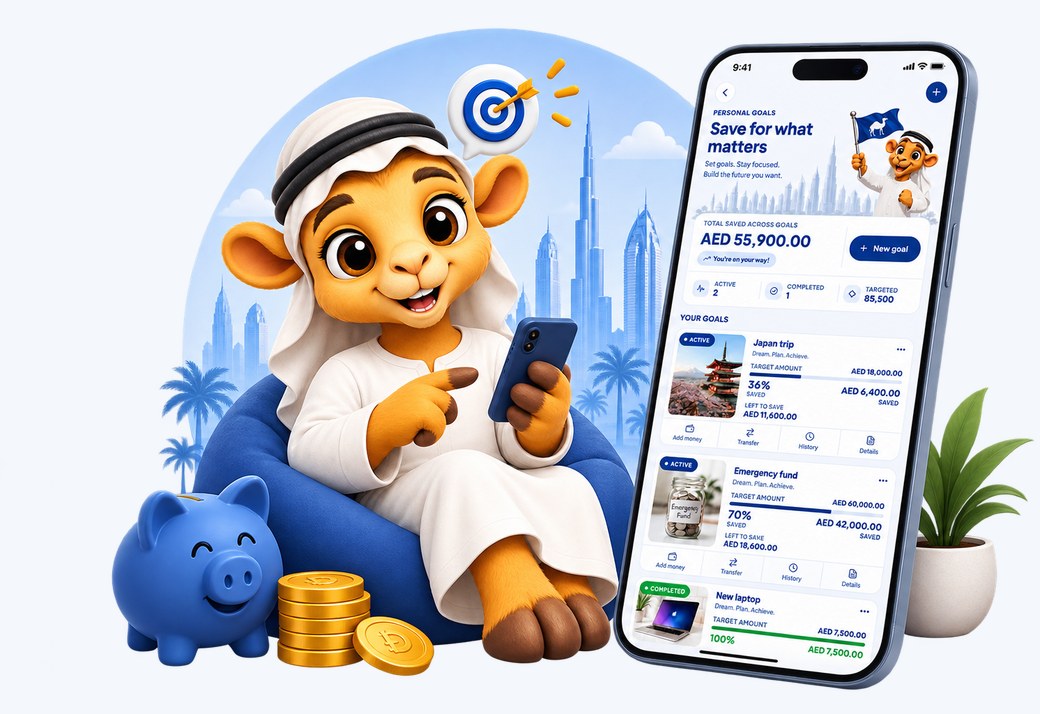
  • The goals screen, with savings goals and how far each one has filled. Goals

Nothing leaves your phone

No account, no cloud, no analytics. Maal makes no network requests at all.

Built for the Gulf

AED, SAR, QAR and the three-decimal dinars — KWD, BHD and OMR at their true precision.

Arabic and English

The whole layout mirrors right-to-left, not only the words. Numerals and dates follow too.

The name

Why “Maal”?

مال is simply the Arabic word for money. Not a coined tech name, not an English word with a vowel taken out — the word people across this region already use, every day, for exactly the thing this app is about.

We wanted a name that works the same in both languages: four letters in English, three in Arabic, said the same way either way round. An app built for the Gulf should not need translating before you can tell what it does.

The older sense of the word is the part we kept in mind while building it. مال is not only the cash in your pocket; it is what you hold and are responsible for. That is nearer to what this is for than “budget tracker” ever quite manages.

What it keeps track of

Every Account in One Wallet

Bring all your finances together in one clear view—current accounts, savings, credit cards, cash, e-wallets, and pay-later plans.

Organize them the way you naturally think about your money, with each account represented by its own bank or provider. See your net worth at a glance, with assets and liabilities clearly separated for a more accurate picture of your finances.

The wallet screen beside a wallet, cards and coins.

Budgets That Keep You Ahead

Set a spending limit for each category and choose exactly when Maal should alert you as you approach it.

Get notified before you overspend—not after. Because a useful budget should help you make better decisions before the money is gone, not simply tell you what you already spent.

The budget screen beside a category plan, spending limits and the alert line.

Goals, Debts & What You’re Owed

Set savings goals and watch your progress grow. Keep track of what you owe and what others owe you, with clear payment schedules and a complete history of every transaction.

Manage everything with ease—update, record payments, or remove an item with a simple swipe.

Stay organized, stay on track, and always know where your money stands.

The goals screen beside a piggy bank and saved coins.

Every Plan. Everything Due Next.

Keep track of Tabby, Tamara, CashNow, bank installment plans, and other payment commitments—all in one place.

See who each plan is with, how many payments remain, what’s due next, and when it’s due. Get timely reminders before each payment and keep a complete payment history for every plan.

Stay ahead of your commitments without having to remember them yourself.

The installments screen beside a calendar marking the next payment due.

Manage your money in one place.

Chat with Maal

Log a spend, check a balance or ask where the month went — in plain English or Arabic. Type it or say it.

Spent 250 on groceries from my Tabby card Logged AED 250 to Food & Groceries An example conversation, playing on a loop

Every account in one wallet

Current, savings, credit cards, cash, e-wallets and pay-later plans — each wearing its own bank's colours.

Works offline

No connection needed, ever. Nothing to sync and nothing to wait for.

Set goals

Save towards something and watch it fill, with a daily figure that gets you there on time.

Scan a receipt

Point the camera at a till slip and the amount, the date and the shop fill themselves in — read on the phone, so the photograph never leaves it.

Coming soon

Share a budget

Keep one budget with a partner or the family, so a spend one of you makes is a spend you both see.

Voice and quick actions

Long-press the icon for the three things you do most. Siri and the back-tap gesture reach the same screens through a Shortcut — the app walks you through it.

Maal Family

Join the community

Maal is built with the people who use it every day. Our community brings together people who understand the realities of managing money across local currencies, banks, and everyday expenses.

It’s where you can share feedback, suggest features, report issues, and help shape what comes next. Your feedback directly influences how Maal evolves.

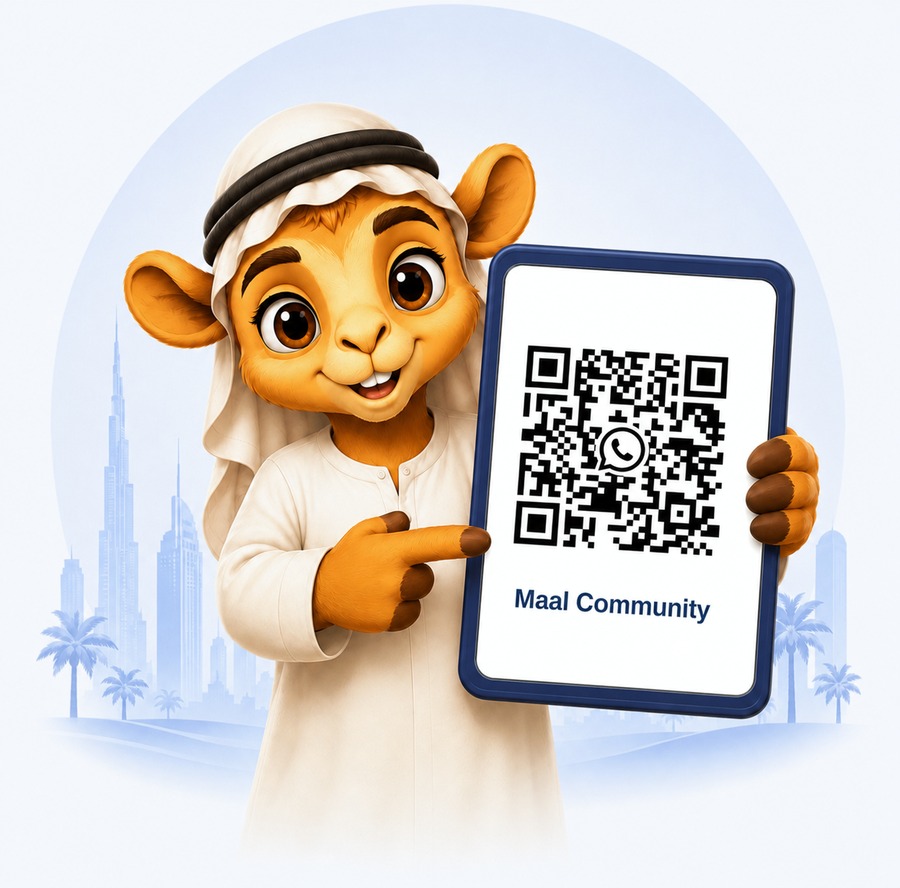
Join the Maal community by scanning the QR code or tapping the button on your phone.

Join on WhatsApp
WhatsApp QR code for the Maal Community group

Your Finances Stay on Your Device

Maal is designed with privacy at its core. Your balances, transactions, budgets, and financial goals are stored locally on your device and are never uploaded to our servers or shared with third parties.

We don't have access to your financial data, which means we can't sell it, analyze it, or hand it over—even if we were asked. Your financial information stays where it belongs: with you.

Because Maal doesn't require an account or cloud sync, there's nothing to register and no personal information to provide. Simply open the app and start managing your money.

Maal does not link to your bank. We never ask for your online banking username, password, one-time code or card number, and there is no connection between Maal and any bank or payment provider. Linking accounts means handing your credentials and your full transaction history to a third party, and we would rather you typed in what you want tracked. Anyone asking you for those details in the name of Maal is not us.

Read the privacy policy →